How to Fix Buffering and Improve Streaming Quality on Show IPTV
A troubleshooting guide for viewers who want smoother show iptv playback, better HD quality, and a more reliable setup for sports and movies.
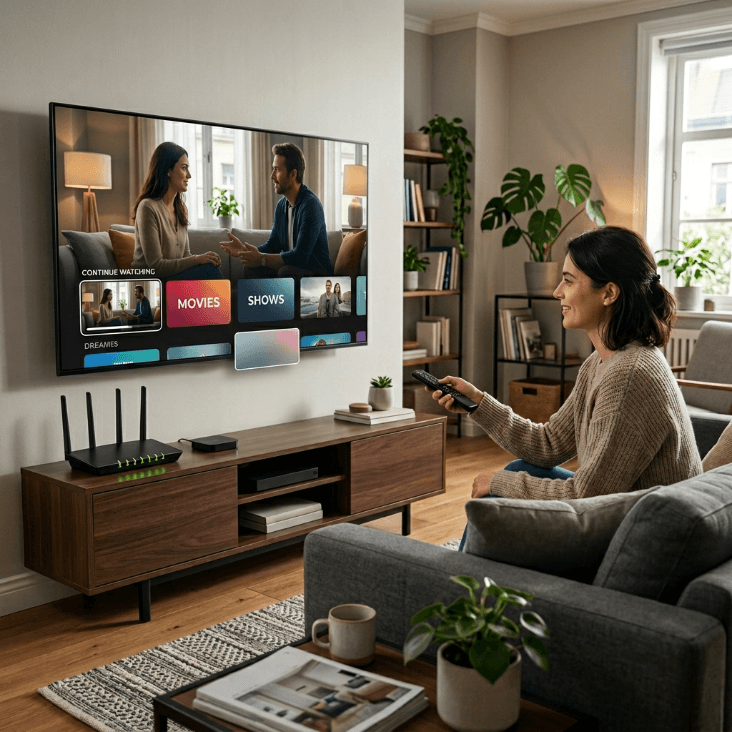
Buffering is one of the fastest ways to turn a good streaming experience into a frustrating one. It breaks the flow of a live match, interrupts a movie scene, and makes even a strong service feel unreliable. The good news is that buffering is often fixable. If you use show iptv and want better playback quality, the best results usually come from improving the full setup around the service, not just blaming one single factor.
That is important because streaming quality is shaped by several elements at once: your internet, your home network, your screen, your device performance, and the way your hardware handles video. Users who search show hd iptv, show iptv hd, show iptv movies, or movie show iptv are usually looking for a smoother viewing experience overall. They want sports and movies to play cleanly, not just start successfully.
Why buffering happens
Buffering usually comes from instability somewhere between the stream and your screen. It does not always mean your internet plan is too slow. In many homes, the real cause is one of these:
Weak Wi-Fi signal where the TV is located
Too many devices using the network at once
Older hardware with slower app performance
Router placement issues
Peak-hour home usage
A mismatch between screen expectations and setup quality
That means troubleshooting should be practical and layered. The goal is to identify the weakest part of your environment and improve it.
Start with your actual viewing setup
A common mistake is to test internet speed next to the router and assume everything is fine. Your real test should happen where you actually watch.
Ask yourself:
Is your TV far from the router?
Are there walls between the router and the screen?
Does buffering happen mostly in the evening?
Are other people gaming, downloading, or streaming at the same time?
Are you using an older smart TV that feels slow in general?
This first step often reveals more than any single speed test. A fast home connection on paper can still produce weak performance in the room that matters most.
Improve Wi-Fi before changing everything else
For many homes, the easiest improvement starts with the network.
Move the router if possible
A router hidden behind furniture or placed in another room can weaken your signal. Better placement often improves streaming consistency right away.
Reduce interference
Other electronics, thick walls, and crowded wireless environments can affect performance. Even small layout changes can help.
Use the viewing room as your benchmark
Test stability in the room where you watch sports or movies most often. That is the only test that really matters.
Limit heavy simultaneous usage
If several devices are consuming bandwidth during prime time, your stream may become less stable.
These changes can make a bigger difference than many people expect.
Hardware matters more than people think
Not all streaming hardware performs equally. A service may work on multiple screens, but the smoothness of the experience can vary a lot depending on the device. If your TV is older or slow to load apps, buffering may feel worse because the whole interface responds poorly.
In some cases, moving from a weak built-in smart TV environment to a dedicated streaming device creates a better overall result. Even when the service is the same, the playback path becomes more efficient.
This is especially useful for users who care about show iptv hd on a large screen, because larger screens make interruptions and image issues feel more noticeable.
Match quality expectations to the setup
A lot of viewers want an HD-like experience, which is understandable. But expectations should match the total setup:
Screen size
Distance from router
Device age
Network congestion
Viewing time
Type of content
Live sports can expose problems more quickly than slower-paced content. Fast motion makes instability easier to notice. If your main interest is sports, your setup should be optimized for consistency first.
For movie-focused users, long-form playback comfort matters more. People searching show iptv movies usually want a smooth, uninterrupted viewing session. In that context, a stable connection and comfortable device interface are just as important as image sharpness.
Practical fixes that often work
Here are some of the most effective improvements for everyday users:
Restart your router and main streaming device regularly
Avoid crowded network usage during major viewing times
Place your router closer to the main TV if possible
Consider a wired connection when available
Use a newer or better-performing streaming device if your TV feels slow
Keep your main setup simple and consistent
Test one change at a time so you know what actually helps
The key is to avoid random troubleshooting. A structured approach gets better results.
When buffering is really a buying decision
Sometimes buffering is not only a technical issue. It is a sign that your setup is not aligned with how you expect to watch. If you want daily sports, frequent movies, and smooth living room playback, your plan, hardware, and network all need to support that goal together.
In other words, the best streaming experience does not come from the subscription alone. It comes from the combination of the subscription and the environment around it. If you are planning to make streaming central to your home entertainment, thinking through the setup in advance can save a lot of frustration later.
When to ask for help
If you have already improved your room setup, reduced network congestion, and checked hardware compatibility, but you still have questions, it may be time to get more specific about what is happening. This is especially useful if you are deciding between different setup paths and want to avoid unnecessary trial and error.
Support is most helpful when you already know:
Which device you use
Which room is your main viewing room
Whether issues happen on Wi-Fi or wired connection
Whether the problem is constant or only at certain times
That information makes troubleshooting more precise.
Final thoughts
Fixing buffering on show iptv usually starts with a simple mindset: improve the setup around the service. Check the viewing room, optimize the network, confirm that your hardware is suitable, and make sure your expectations match the way you really watch.
Many playback issues can be reduced with a few practical improvements, especially when you focus on the room, the network, and the device together instead of treating them separately. The goal is not perfection on paper. It is a smoother real-world experience for sports, live channels, and show iptv movies. When your setup is aligned with your habits, streaming becomes more enjoyable and much less frustrating.
Related reading: